Дизайн интерьера — это тысячи деталей. Цвет стен, фактура дерева, расположение дивана относительно окна, качество дневного света. До недавнего времени любое изменение в концепции означало новый рабочий день в 3D-редакторе. С появлением GPT-Image-2 в SUIN.AI этап визуализации сократился до секунд и одного текстового запроса.
GPT-Image-2 — мультимодальная модель, доступная в чате SUIN.AI. Загружаете фото комнаты, пишете на естественном языке, что хотите изменить — получаете фотореалистичный результат. Без слоёв, без маскирующих кистей, без рендеров по ночам.
Три режима GPT-Image-2
- Generate — создаёт изображение с нуля по текстовому описанию. Нужен, когда у вас ещё нет визуала и вы строите концепцию с чистого листа.
- Edit — редактирует одно загруженное изображение. Меняет объекты, цвета, материалы, добавляет или удаляет элементы. Основной рабочий режим для точечных правок.
- Combine — объединяет несколько изображений. Переносит стиль, палитру и материалы с референса на ваше фото. Идеален для стиль-трансфера и мудборд-визуализации.
Режим Edit: точечные изменения без потери контекста
Рабочая лошадка GPT-Image-2. Вы загружаете фотографию интерьера и описываете, что именно хотите изменить. Модель сохраняет всё остальное — ракурс камеры, освещение, тени, расположение мебели, текстуры пола и стен.
Замена мебели
In this room photo, replace ONLY the white dining chairs with chairs
made of natural oak wood with woven rattan seats.
Preserve camera angle, room lighting, floor shadows, and surrounding objects.
Keep all other aspects of the image unchanged.
Photorealistic contact shadows and visible wood grain texture.
Модель идентифицирует объекты по описанию («white dining chairs»), заменяет их и пересчитывает тени, отражения и взаимодействие со светом. Всё остальное остаётся нетронутым.
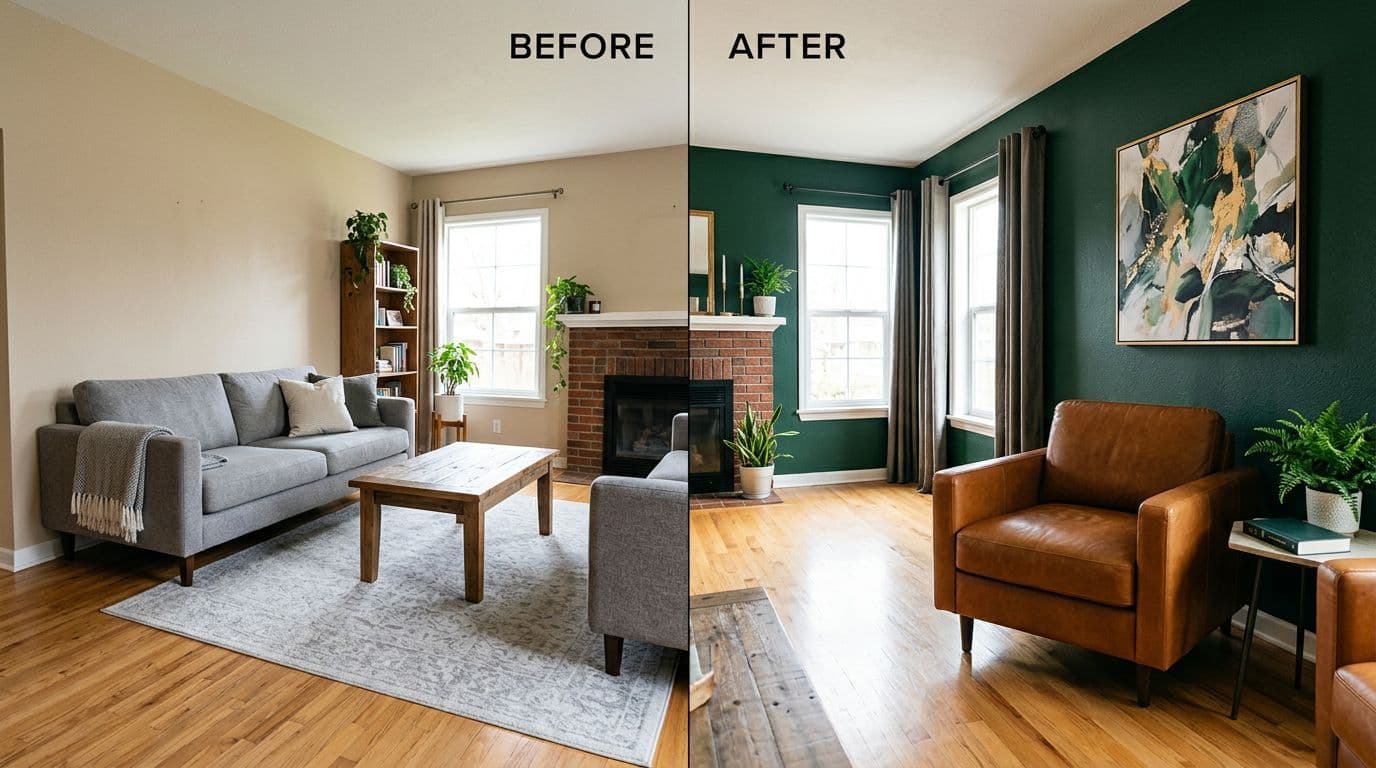
Перекраска стен
Change the wall color in this living room from beige to deep forest green.
Preserve all furniture, lighting, and room layout exactly as in the original.
Adjust lighting reflections on surfaces naturally — green walls should cast
subtle color reflections on white ceiling edges and light-colored furniture.
Matte paint finish, no texture change.Смена материала отдельных элементов
Replace the kitchen countertop in Image 1 with Calacatta marble.
Maintain the exact cabinet layout, handles, sink position, and lighting.
Show realistic veining pattern, subtle reflections of overhead lights
on the polished marble surface. Keep all other kitchen elements unchanged.
Change the floor in this hallway from light laminate to herringbone
oak parquet with oil finish.
Preserve all furniture, wall colors, baseboards, and lighting.
Adjust floor reflections and contact shadows of furniture legs accordingly.Добавление и удаление элементов
Add a large round area rug (diameter ~2m) under the coffee table
in this living room. Rug pattern: abstract muted tones, wool texture.
Preserve all furniture positions, lighting, and floor exactly.
Show realistic rug deformation under table legs and sofa feet.
Remove the floor lamp next to the armchair in this reading corner.
Fill the space naturally — extend the wall color and floor pattern
where the lamp was. Adjust lighting: remove the warm spot the lamp
was casting on the wall and floor. Keep everything else identical.Изменение архитектурных элементов
Enlarge the window in Image 1 to floor-to-ceiling dimensions.
Maintain the existing window frame style (thin black aluminum)
and adjacent wall color (warm white).
Adjust natural light intensity — the room should become noticeably brighter.
Recalculate shadow patterns from the window frame on the floor and furniture.
Preserve all furniture positions, materials, and room layout exactly.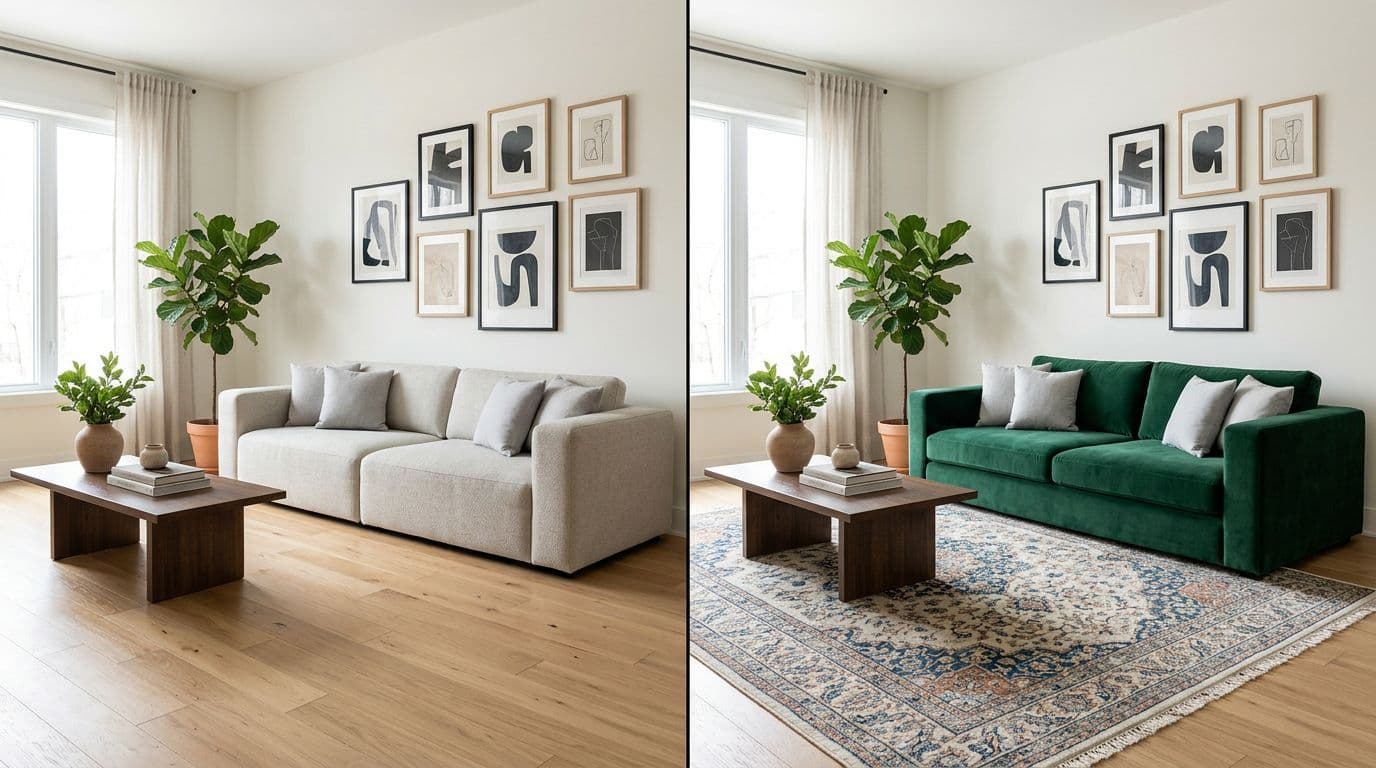
Режим Combine: стиль-трансфер с референсов
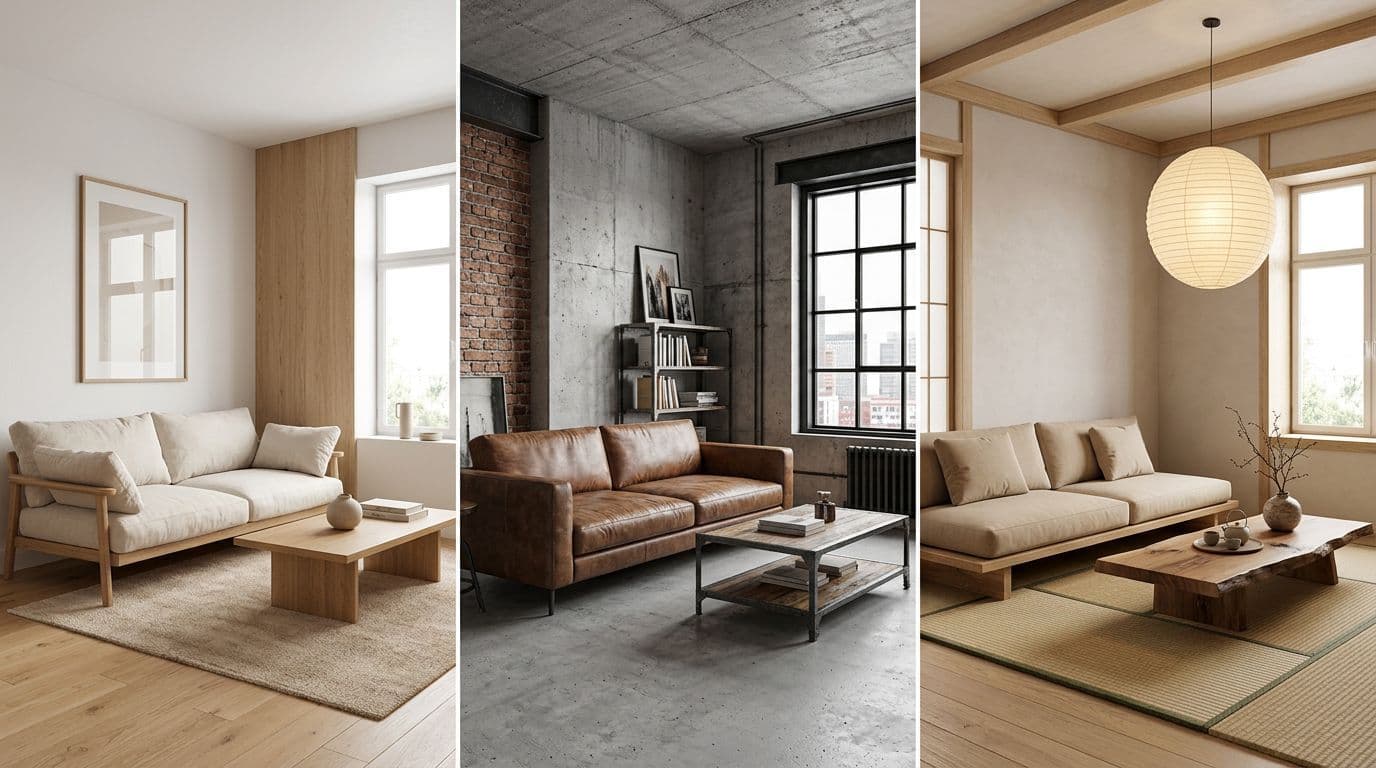
Режим Combine работает с несколькими изображениями. Загружаете два или более файла: одно содержит пространство (вашу комнату), другое — стиль (референсный интерьер, мудборд, деталь материала). Модель извлекает палитру, характер материалов, декоративный стиль и применяет к вашему пространству.
Перенос стиля с референса
Apply the interior design style from Image 2 (style reference)
to the room in Image 1 (space reference).

Transfer from Image 2:
- Color palette (warm terracotta walls, cream upholstery, black accents)
- Material finishes (velvet, brushed brass, raw oak)
- Decorative style (Japandi minimalism with art deco touches)
- Overall mood and lighting atmosphere

Preserve from Image 1:
- Exact room dimensions and proportions
- Window positions and sizes
- Basic furniture layout and functional zones
- Architectural features (moldings, fireplace, built-in shelving)

Result: photorealistic interior photography, editorial quality,
natural daylight mixed with warm artificial lighting.
Комбинирование нескольких референсов
Image 1: the room to redesign (empty studio apartment, 35 sqm).
Image 2: color reference — extract the sage green and warm sand palette.
Image 3: material reference — apply concrete ceiling,
wide-plank oak flooring, linen upholstery textures.

Create a cohesive interior design that combines all three references.
Preserve the exact room geometry, window placement, and structural
elements from Image 1. Apply colors from Image 2 and materials
from Image 3 consistently throughout the space.
Style: architectural photography, overcast daylight, 28mm lens.
Стиль-трансфер деталей (например, освещения)
Image 1: my living room photo.
Image 2: reference for lighting style — adopt the layered lighting
scheme: recessed ceiling spots, floor-to-ceiling LED cove behind
the sofa, and a sculptural pendant over the coffee table.

Apply ONLY the lighting concept from Image 2 to the room in Image 1.
Preserve all furniture, colors, materials, and room layout exactly.
Show realistic light temperature (3000K warm white) and accurate
shadow softness from each light source.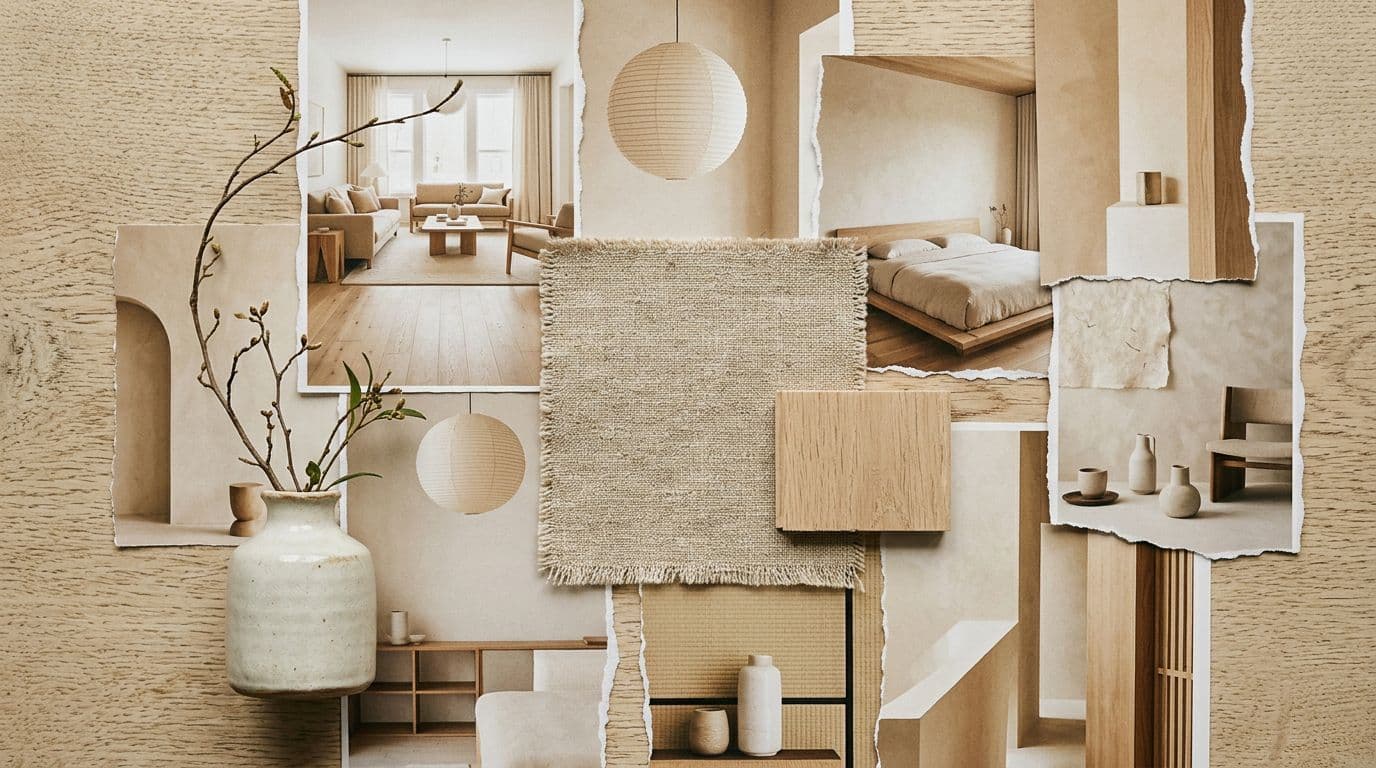
От мудборда к готовому рендеру
Один из самых впечатляющих сценариев — превращение коллажа идей в единое фотореалистичное изображение. Загрузите мудборд, и GPT-Image-2 извлечёт из него цвета, материалы, характер мебели и соберёт готовую визуализацию.
Визуализация по мудборду
Create a photorealistic room render based on the mood board elements in Image 1.

Extract and apply from the mood board:
- Color palette: dusty rose, charcoal grey, brushed gold
- Material textures: bouclé fabric, terrazzo flooring, fluted glass
- Furniture style: curved organic shapes, 1970s Italian influence
- Decorative elements: oversized abstract art, ceramic vases,
  sculptural coffee table

Room type: master bedroom, 4x5 meters, ceiling height 2.8m
Features: king-size bed centered on the main wall,
one large window with sheer curtains, warm ambient lighting.

Style: editorial interior photography, golden hour sunlight,
24mm wide angle, slight film grain.
Мудборд + реальное пространство
Image 1: mood board — Scandinavian-Bohemian living room concept.
Image 2: photo of my actual living room (rectangular, 5x4m,
one balcony door, one standard window).

Design the room in Image 2 using the aesthetic from Image 1.
Extract: white walls with natural wood accents, rattan and linen
textures, abundant indoor plants, vintage rug patterns,
warm indirect lighting.

Preserve from Image 2: exact room shape, door and window positions,
radiator placement, existing oak parquet flooring.
Add: appropriate furniture layout for the space, decor items
in the Boho-Scandi style, plant placements near windows.
Photorealistic, daylight photography style.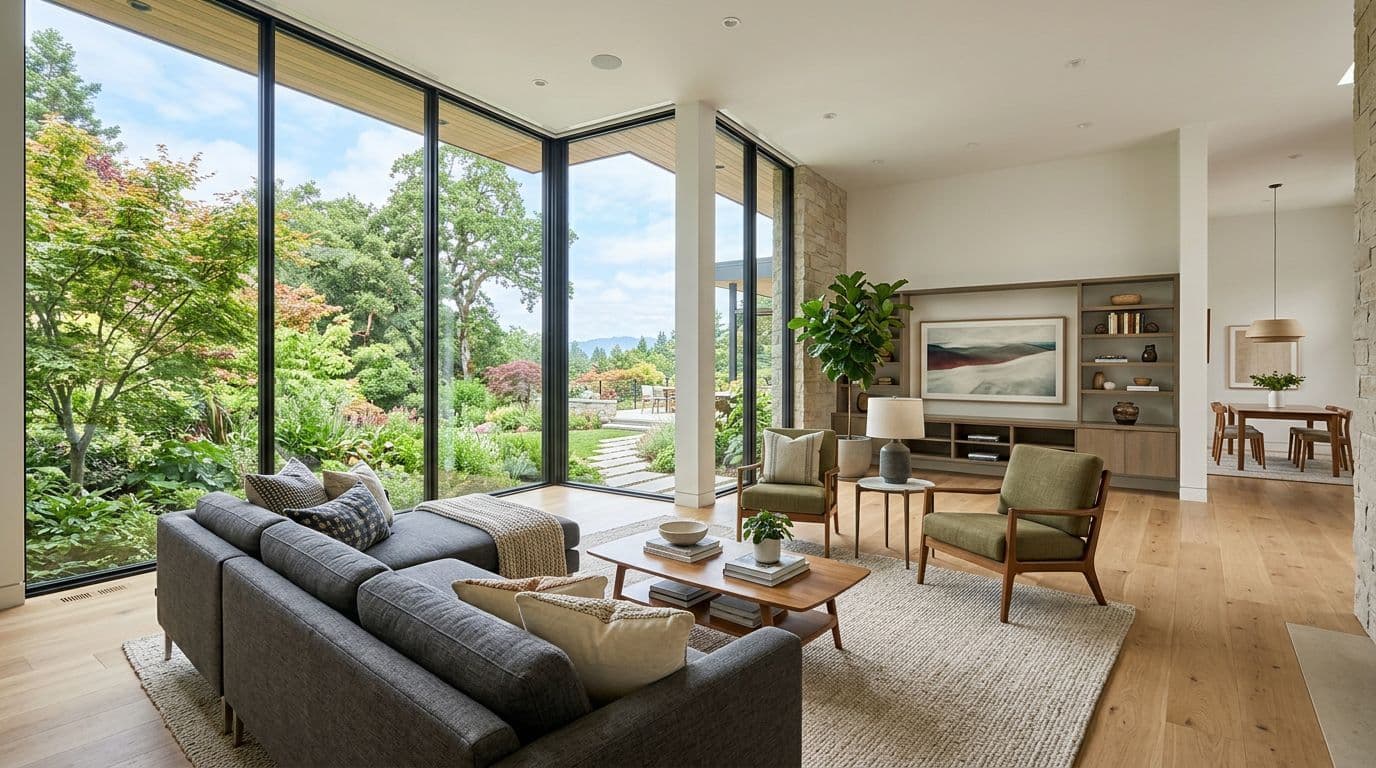
Смена ракурса и эксплорация пространства
GPT-Image-2 умеет не только редактировать существующий кадр, но и генерировать новый ракурс того же пространства. Полезно, когда клиент хочет увидеть комнату с другой стороны.
Альтернативный ракурс камеры
Generate an alternative camera angle of this interior space (Image 1).
New angle: diagonal corner view showing both the living area
with the sofa and the dining area with the table simultaneously.
Camera height: 110cm (seated eye level).
Lens: 24mm wide angle, slight perspective distortion acceptable.

Preserve ALL of the following exactly:
- Furniture positions, dimensions, and orientations
- All material colors and textures
- Wall art, decor items, plants, books, accessories
- Lighting fixtures and their on/off state
- Natural light direction and intensity from the windows

Photorealistic interior photography, editorial quality.
Показ связанных зон
Image 1: living room view from the entrance.
Generate a view from the opposite side — standing near the
full-height windows looking back toward the entrance door.

Must preserve:
- Exact sofa position and orientation (grey L-shape, 3.2m long side)
- Coffee table (round oak, 90cm diameter)
- TV wall unit composition and shelf styling
- Floor material throughout (wide plank oak, natural oil finish)
- All ceiling details: recessed spots, track lighting, concrete
  ceiling texture

Show how natural daylight falls on the sofa and creates shadows
on the floor from the window frames.
Architectural photography, 28mm, slight overexposure from window light.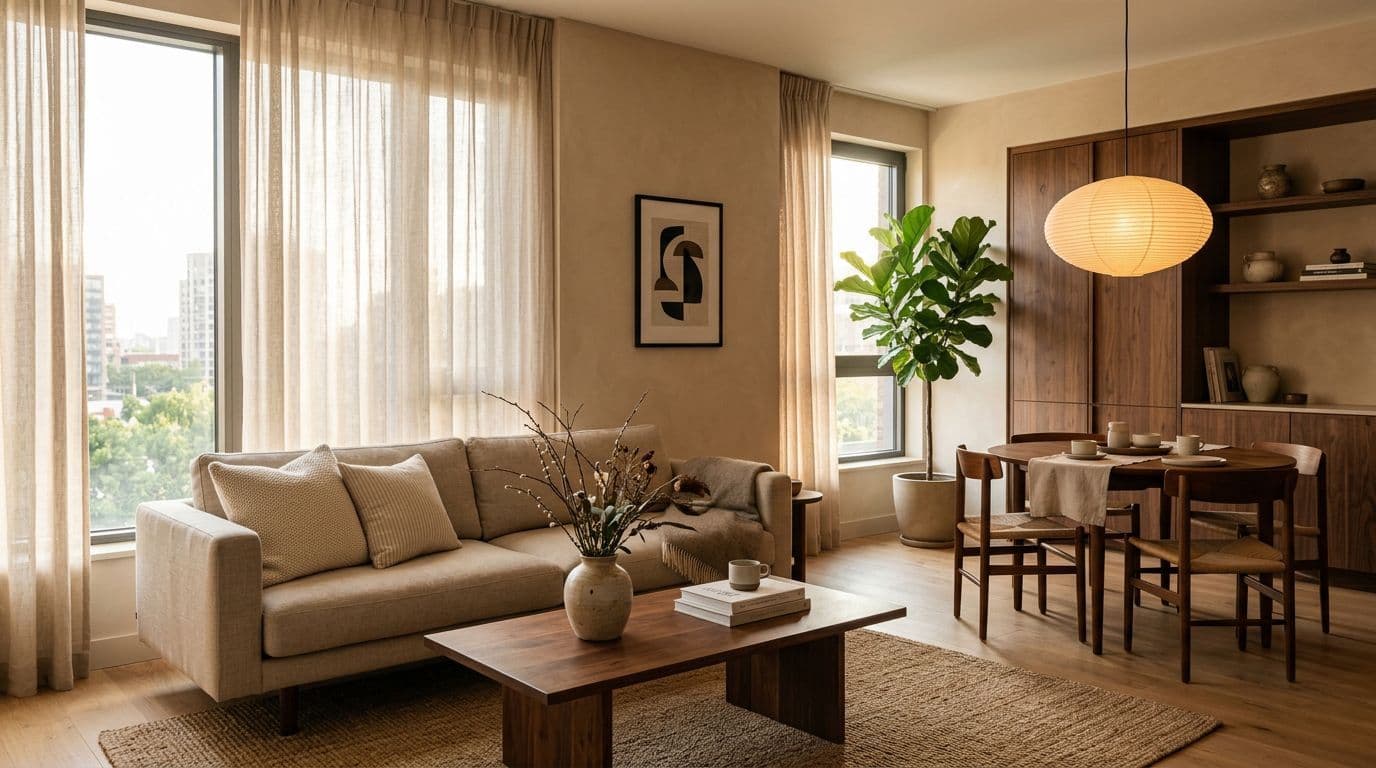
Шпаргалка: какой режим под какую задачу
| Задача | Режим | Шаблон промпта |
|---|---|---|
| Заменить диван, стол, стулья | Edit | «Replace ONLY [old] with [new]. Preserve camera, lighting, shadows...» |
| Перекрасить стены, потолок | Edit | «Change wall color from [A] to [B]. Preserve furniture, adjust reflections...» |
| Сменить материал столешницы, пола | Edit | «Replace [surface] with [material]. Maintain layout...» |
| Добавить ковёр, декор, светильник | Edit | «Add [item] in [location]. Preserve existing, show shadows...» |
| Убрать объект | Edit | «Remove [item]. Fill space naturally, adjust lighting...» |
| Увеличить окно, сместить дверь | Edit | «Enlarge window to [size]. Recalculate light and shadows...» |
| Перенести стиль с референса | Combine | «Apply style from Image 2 to Image 1. Transfer palette, materials...» |
| Собрать стиль из нескольких референсов | Combine | «Image 2 = color ref, Image 3 = material ref...» |
| Скопировать освещение | Combine | «Apply ONLY lighting scheme from Image 2...» |
| Сделать рендер по мудборду | Combine | «Create room render based on mood board...» |
| Применить мудборд к реальной комнате | Combine | «Design room in Image 2 using aesthetic from mood board...» |
| Другой ракурс той же комнаты | Edit | «Generate alternative angle. Preserve all furniture, materials...» |
| Концепция с нуля | Generate | «Photorealistic [room], [style], [dimensions], [lighting]...» |
Как формулировать промпты для точных результатов
1. Используйте конструкцию «Preserve...»
Модель по умолчанию может «додумать» детали. Если вы не хотите, чтобы она поменяла цвет штор или убрала вазу с полки — скажите явно:
Preserve exactly: all furniture positions, wall colors, flooring,
lighting fixtures, decor items, window treatments, and room proportions.
2. Указывайте технические детали
- Цвет: не «зелёный», а «deep forest green, hex #1B4D3E, matte finish»
- Материал: не «дерево», а «natural European oak with visible grain, brushed texture, oiled finish»
- Размер: не «большой ковёр», а «round area rug, diameter 2.5 meters»
- Освещение: не «светло», а «3000K warm white, recessed LED spots, 8 pieces, dimmed to 70%»
3. Описывайте взаимодействие со светом
Show realistic reflections of the window on the polished marble surface.
The brass lamp should cast a warm 40cm-diameter spot on the wall
with soft edges. Green walls should reflect subtly on the white ceiling.
4. Разделяйте инструкции на логические блоки
TASK: Replace the coffee table.
NEW OBJECT: Oval travertine table, 120x60cm, height 40cm,
            honed finish, 5cm thick top.
PRESERVE: All surrounding furniture, rug, lighting, wall art.
LIGHTING: Show contact shadows from the table legs on the rug.
          Travertine should reflect warm spot from the floor lamp.
STYLE: Photorealistic editorial interior photography.
5. Структура «что → сохранить → ожидаемый результат»
- Что делать — заменить, добавить, изменить, удалить
- Что сохранить — весь остальной контекст
- Какой результат ожидать — фотореалистичность, стиль съёмки, качество света
Заключение: от идеи к визуализации за минуты
GPT-Image-2 в SUIN.AI превращает дизайн интерьера из многоэтапного производства в диалог. Загружаете фото — описываете изменения — получаете результат. Три режима покрывают весь рабочий цикл: от первой концепции в Generate, через десятки итераций правок в Edit, до финальной стилизации в Combine.
Попробуйте прямо сейчас:
- Откройте чат SUIN.AI и выберите модель GPT-Image-2
- Загрузите фото своей комнаты
- Напишите, что хотите изменить, используя готовые промпты из этого гайда
- Экспериментируйте с режимами Edit и Combine — каждый решает свои задачи
Для сложных мультимедийных проектов откройте MediaLab в SUIN.AI — там доступны дополнительные инструменты, включая Nano Banana Pro для 4K-апскейла и детальной ретуши готовых визуализаций.